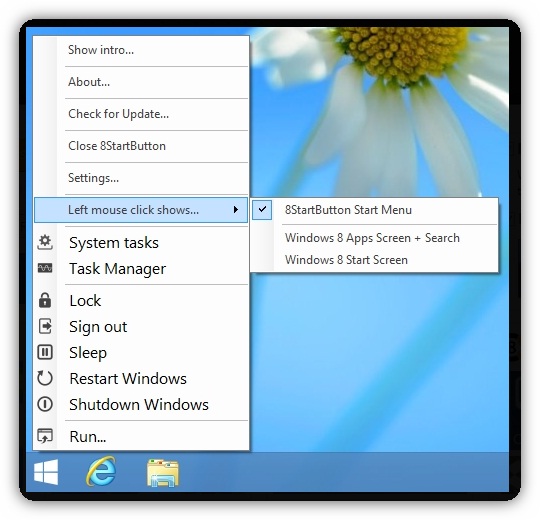
In truth there is much talk about the new look of Windows
8, but a question that is arising more frequently is the absence of the
traditional Start menu and the Start button.
As our readers probably already guessed, the 8StartButton
is a tool that can be used to restore the Start button in a way that
allows us to learn and benefit from all the new features and options
that can be found in Windows 8, and that the
former Start menu has accustomed us over the years. Let us know?
Obviously there are several tools that want a Start menu in Windows 8,
but the 8StartButton do it in the most immediately recognizable, ie the
Start button simply works as expected and delivers what we really want it. It
almost goes without saying that the tool is not limited only to bring
back the Start menu, but it also gives us greater control over the
appearance and function.
The tool allows us to choose choose from one of the many
ready images of the Start button, or choose to use one of our own
preference and there are numerous ways in which we can customize how the
menu itself works.
Nevertheless, it should be borne in mind that while the
8StartButton is certainly recognized as a Start menu, users may not face
exactly the same as the menu found on previous versions of Windows - it
is this rather a renovation and addition the new and controversial look
of Windows 8.
As a complement, the tiles can be included in the Start menu
for easy access to our most used tools, and the right-click menu can be
customized to allow access to additional options.
No matter which direction we have chosen for our taskbar,
with 8StartButton can be integrated in all positions and a low
consumption of system resources - this means we can take advantage of
this application without compromising performance.
The free version presented here is really just a sample of what we can expect in the full version.
For only $ 14 this can be possibly a cheap way to make Windows 8 work the way you want!